

Logs
Trajectories
Explore the connections between agent, model, tool and workflow steps.
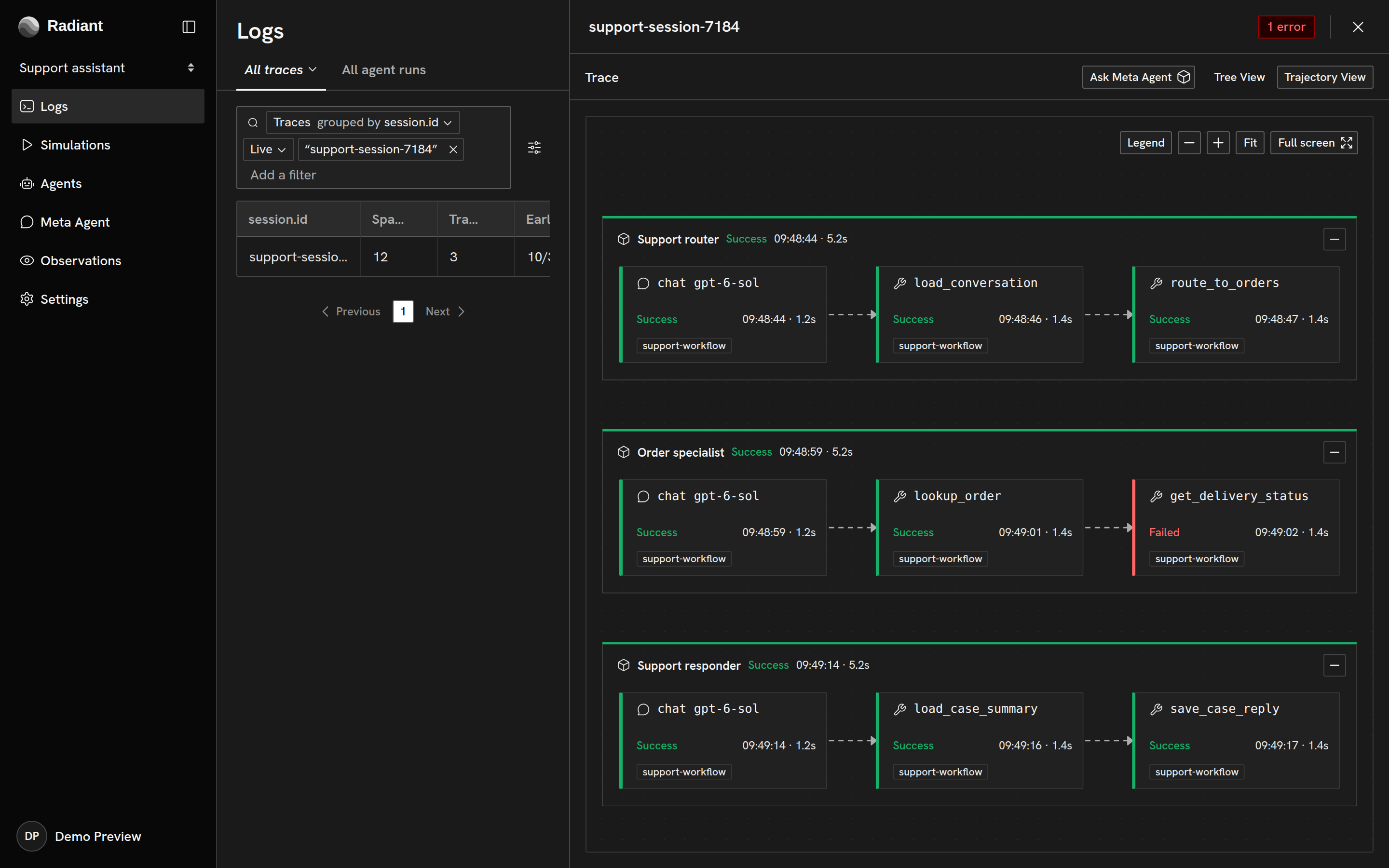
Trajectory View presents an execution as connected steps. It brings agent, model, tool and workflow activity into a graph, including relationships across traces. Use it to follow how work passes between steps; the tree remains available for the recorded parent-child hierarchy.
Open a trajectory
Section titled “Open a trajectory”Open a trace or agent run in Logs, then switch from Tree View to Trajectory View at the top of the execution pane. You can also open a group to explore related activity spanning several requests.
Inspect connected steps
Section titled “Inspect connected steps”Select a step to inspect its recorded details. Expand a grouped step to see the operations inside it. Open in trace returns to the underlying operation; Ask Meta Agent starts an investigation with that step as context.
Solid connections represent recorded relationships, while dashed connections are inferred from the available activity. Use the legend to interpret the graph and inspect the underlying records when checking an inferred connection.
When the graph reaches its display limit, a notice reports omitted steps. Narrow the query or time range to inspect a smaller scope.
Copyright © 2026, Radiant AI Limited.