

Logs
Agents and versions
Browse your agents, their recorded tools and the activity associated with each version.
Agents brings together the tools and recorded runs of each agent in your project. Use it to explore an agent across invocations, or select a version to inspect the behavior of a particular release.
Open an agent
Section titled “Open an agent”Select an agent to open its Agent and Metrics tabs. Agent shows the recorded agent description and tools. Choose a version to inspect that release; select a tool to inspect its details and recorded calls, including inputs, outputs and errors.
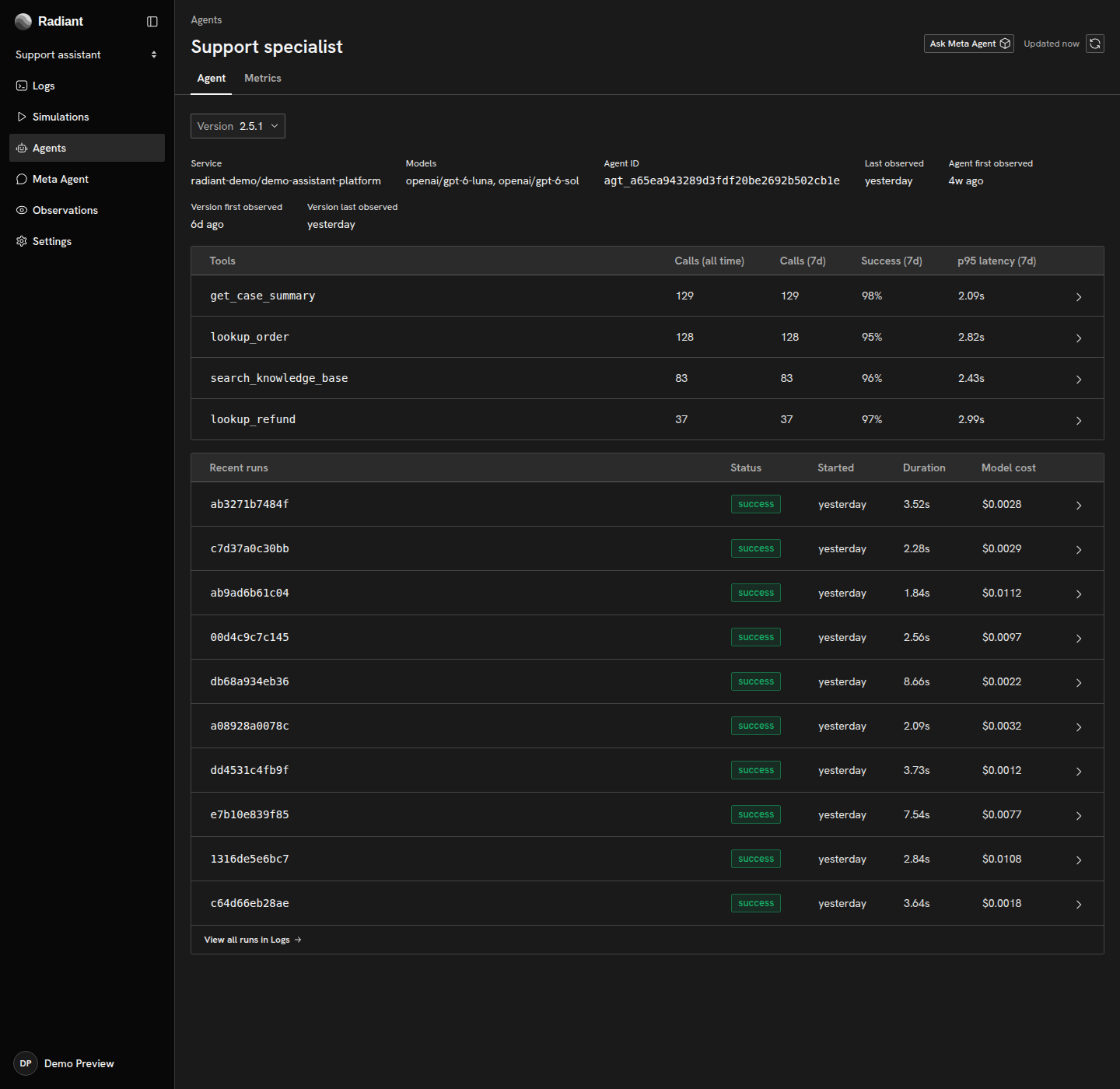
Use Ask Meta Agent from an agent or tool to investigate with that context. To start from a specific invocation, use Logs → All agent runs and open the run.
Agent identity and versions
Section titled “Agent identity and versions”Radiant uses the agent ID or name reported by your instrumentation, together with its service identity, to associate runs with an agent. For recognized Claude Code and Codex activity without a reported agent identity, Radiant uses Claude Code or Codex as the agent name. A service rename can create a separate catalog entry.
Versions come from gen_ai.agent.version, or the CLI’s service.version for recognized coding-agent activity. They are not inferred from deployment times.
Record a version when you want to distinguish releases in the catalog and compare their metrics. The telemetry reference defines the identity fields and recognition rules.
Agent recognition
Section titled “Agent recognition”Catalog entries require recognized agent invocation spans and an agent identity, either reported by the instrumentation or supplied by a supported coding-agent mapping. Telemetry that does not meet those requirements remains accessible in All traces. Use the agent-run reference when adapting an exporter or investigating a missing catalog entry.
Copyright © 2026, Radiant AI Limited.