

Logs
Agent metrics
Compare agent reliability, latency, tool usage and model cost across versions.
An agent’s Metrics tab summarizes its recorded runs over time. Use it to compare versions, identify changes in latency or reliability, and see which models and tools account for its activity.
Open Agents in the application sidebar, select an agent, then choose Metrics. The time window and version selector apply to the metrics on the page. When the agent has multiple versions, All versions includes per-version series so you can compare releases within the same window.
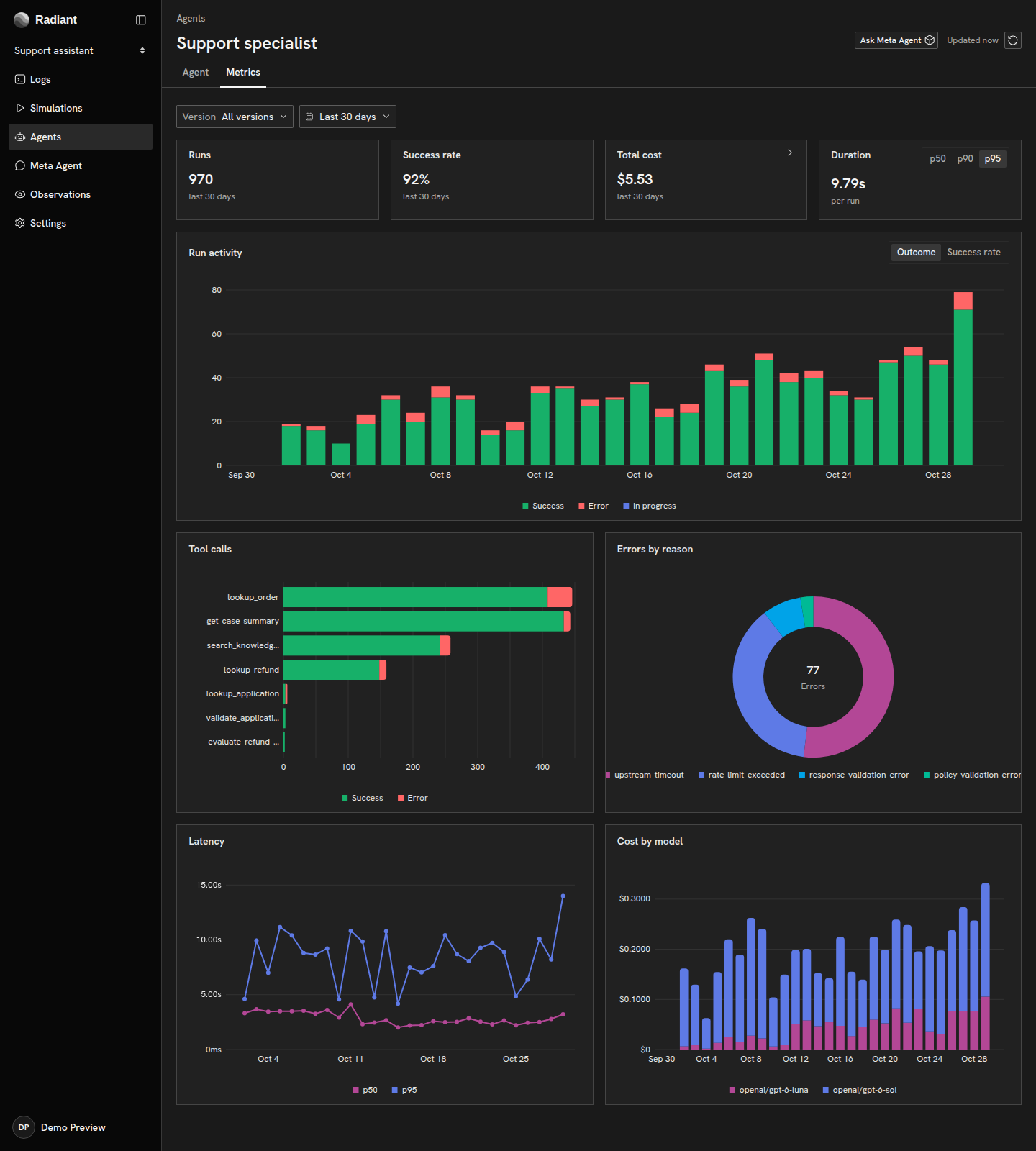
Reliability and latency
Section titled “Reliability and latency”Run activity shows how invocation volume and outcomes change over time. Switch to Success rate to compare the proportion of completed outcomes without an error. A run’s outcome comes from its agent-invocation span: a tool error that the agent handles does not, by itself, make the invocation fail.
Use Latency to compare the median (p50) with the slower end of the distribution (p95). Keep the version and time window consistent when comparing these values.
Errors by reason groups failed invocations by their reported error type. Select a reason to open the corresponding activity in Logs. Tool calls shows the agent’s tool activity and its outcomes, which can include failures within otherwise successful runs.
Tokens and model cost
Section titled “Tokens and model cost”Cost by model shows how exported model costs are distributed. Select Total cost for token totals and a more detailed breakdown.
Metrics attribute direct model usage to each agent, excluding nested agents so the same work is not counted twice. Run lists can instead show inclusive totals for an invocation and its descendants. This distinction matters when an agent delegates work to another agent; the telemetry reference explains the aggregation rules.
Model costs use the USD amounts exported by your instrumentation. They are separate from Radiant usage and billing.
Copyright © 2026, Radiant AI Limited.